
For most of its history, business audio was a local affair. The conference phone sat on the meeting table. The amplifiers for a restaurant’s speakers lived in a rack in the back office. A broadcaster’s mixing desk sat in a truck parked outside the stadium. If something went wrong, someone had to be there to fix it.
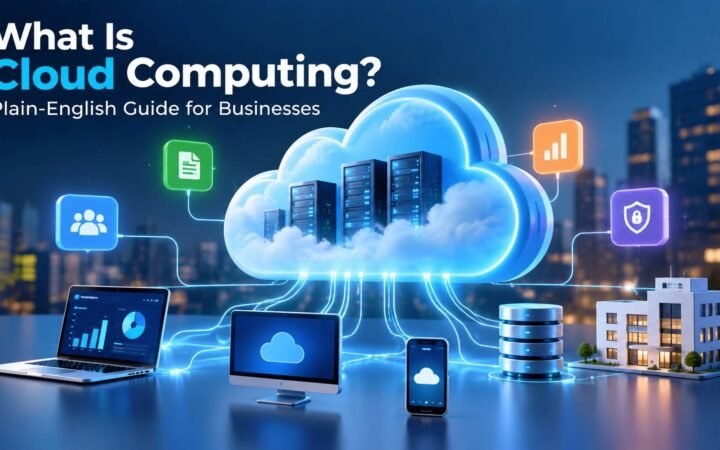
Cloud connected audio changes where the control lives. The term covers a few different things, but they share one idea: audio equipment or audio services that connect to the internet so they can be delivered, monitored, managed or even mixed from the cloud. If cloud computing itself is new to you, our plain-English guide to cloud computing is a good starting point.
Three meanings of cloud connected audio
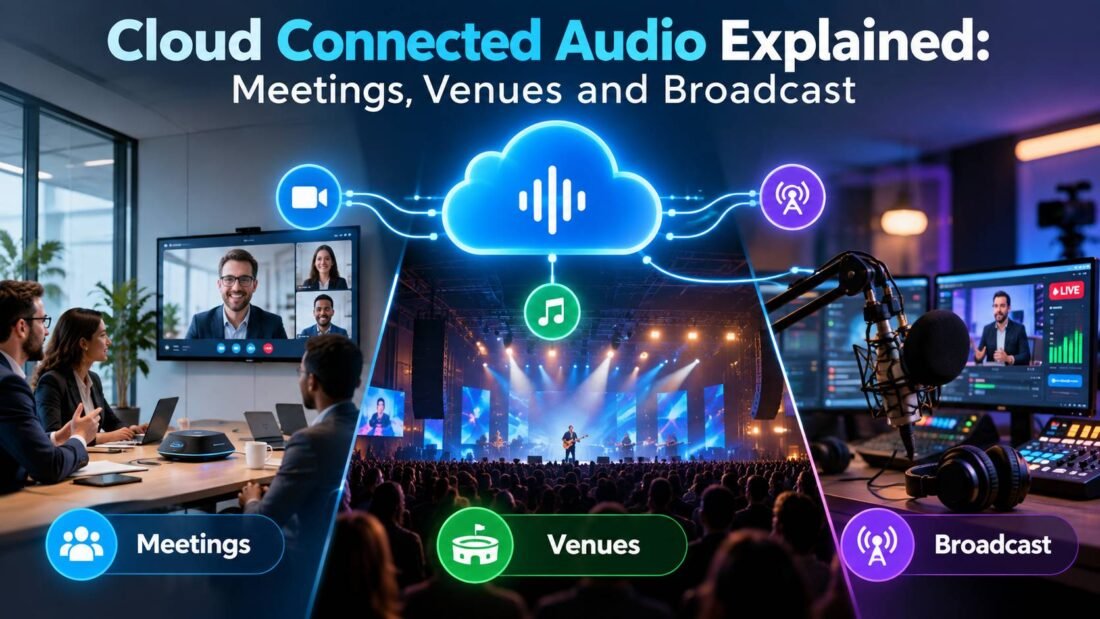
People searching for cloud connected audio usually mean one of three things.
1. Cloud audio conferencing
Here the audio itself is a cloud service. Instead of running conference bridges on hardware in your own building, the dial-in and voice part of your meetings is delivered from a provider’s cloud and tied into your video meeting platform.
Cisco even uses the name for a product. Webex Cloud Connected Audio is an audio conferencing service built into Webex meetings, offered either through a service provider or directly to enterprises. Cisco pitches it on predictable monthly costs, no on-premises audio systems to maintain, and the ability to extend a company’s existing IP telephony into meetings.
2. Cloud-managed sound systems
This is the fastest-growing use in commercial buildings. Amplifiers, processors and speakers in offices, shops, restaurants, hotels and venues connect to a manufacturer’s cloud portal. Installers and IT teams can then check their status, change settings and receive alerts from anywhere.
LEA Professional is one example. Its Connect Series amplifiers link to LEA’s cloud platform, which, as audioXpress reported, runs on AWS IoT Core and lets integrators monitor and control single amps or entire venues remotely without a VPN.
3. Cloud-based audio production
At the high end, the mixing itself moves to the cloud. Audio from microphones and devices on site is sent to cloud servers, mixed there by engineers who may be working from anywhere, and sent on to broadcast. Audinate’s Dante Connect does this for broadcasters, sending audio from Dante-enabled devices to cloud-hosted production tools on platforms such as AWS and Google Cloud, with instances started for an event and shut down afterwards.
How cloud connected audio works
Whatever the use, the building blocks are similar:
- Networked audio devices: amplifiers, microphones, processors or interfaces with an Ethernet or Wi-Fi connection instead of only analog cables.
- A secure link to the cloud: the device opens an encrypted connection outward to the manufacturer’s or provider’s platform, which usually means no inbound firewall ports need opening.
- A cloud dashboard or service: where people see device status, change settings, receive alerts, join meetings or run mixing software.
- Local fallback: well-designed systems keep playing audio even if the internet connection drops. The cloud handles management, not the sound reaching the speakers.
That last point is worth checking for any product. A restaurant’s background music should not stop because the internet went down.
Benefits for businesses
Fewer site visits
When an installer can see that an amplifier channel has faulted, or adjust volume levels remotely, many problems get fixed without anyone driving to the site.
Problems spotted before customers notice
Alerts for overheating, disconnected speakers or offline devices let teams act early instead of waiting for a complaint.
Consistency across many locations
A business with twenty shops can manage audio settings and schedules for all of them from one screen, instead of relying on each manager to set things correctly.
Flexible conferencing and production
Cloud conferencing scales with meeting demand without new hardware. Cloud production lets broadcasters spin up mixing capacity for an event, then shut it down, paying for what they use.
New service models
For audio-visual integrators, remote monitoring makes ongoing service contracts practical, which is a large part of why manufacturers have built these platforms.
Risks and limitations
- Internet dependence: remote management stops when the connection does. Make sure local playback continues regardless.
- Security: any device connected to the internet is a potential target. Treat audio devices like any other network equipment, with updated firmware, separate network segments and protected admin accounts.
- Vendor lock-in: cloud portals are usually specific to one manufacturer. Mixing brands can mean several dashboards.
- Subscription costs: some platforms charge per device or per site per year. Our guide to SaaS pricing models explains what to compare.
- Latency: for live production, the delay of sending audio to the cloud and back has to be managed carefully. Broadcast tools are built for this, but it is not trivial.
What to check before buying
- Does audio keep playing if the internet drops?
- How does the device connect? Outbound encrypted connections are preferable to opening inbound ports or setting up VPN access. Our explainer on VPNs for business covers why exposing devices directly is risky.
- Who can log in, and how? Look for individual user accounts, roles and two-factor authentication on the cloud portal.
- How are firmware updates handled? Remote updates are convenient, but you want control over timing.
- What does the subscription include, and what happens to the devices if you stop paying?
- Can you export settings or configurations, in case you change installer or platform?
Is cloud connected audio right for you?
For a single meeting room or a small shop with one amplifier, the benefits are modest. They grow quickly with scale: multiple sites, venues where downtime costs money, or teams that already run their meetings on a cloud collaboration platform. For broadcasters, cloud production can change the economics of covering events by reducing what has to be shipped and staffed on site.
Frequently Asked Questions
What is cloud connected audio?
Audio equipment or audio services that connect to the cloud so they can be delivered, monitored, managed or mixed remotely. It includes cloud audio conferencing, cloud-managed sound systems and cloud-based broadcast production.
Does cloud connected audio stream music from the internet?
Not necessarily. In commercial systems, the cloud connection is often only for management and monitoring, while audio sources stay local. Some systems also stream content, so check the product.
Is Webex Cloud Connected Audio the same thing?
It is one specific product using the name: Cisco's audio conferencing service integrated with Webex meetings. The broader term covers many other products and uses.
Is cloud connected audio secure?
It can be, with encrypted connections, protected accounts and updated firmware. Poorly configured internet-connected devices are a real risk, so treat them like any other network equipment.
Do I need special internet for cloud managed audio?
For monitoring and control, a normal business connection is usually enough. Cloud audio production for broadcast needs much more bandwidth and reliability.