
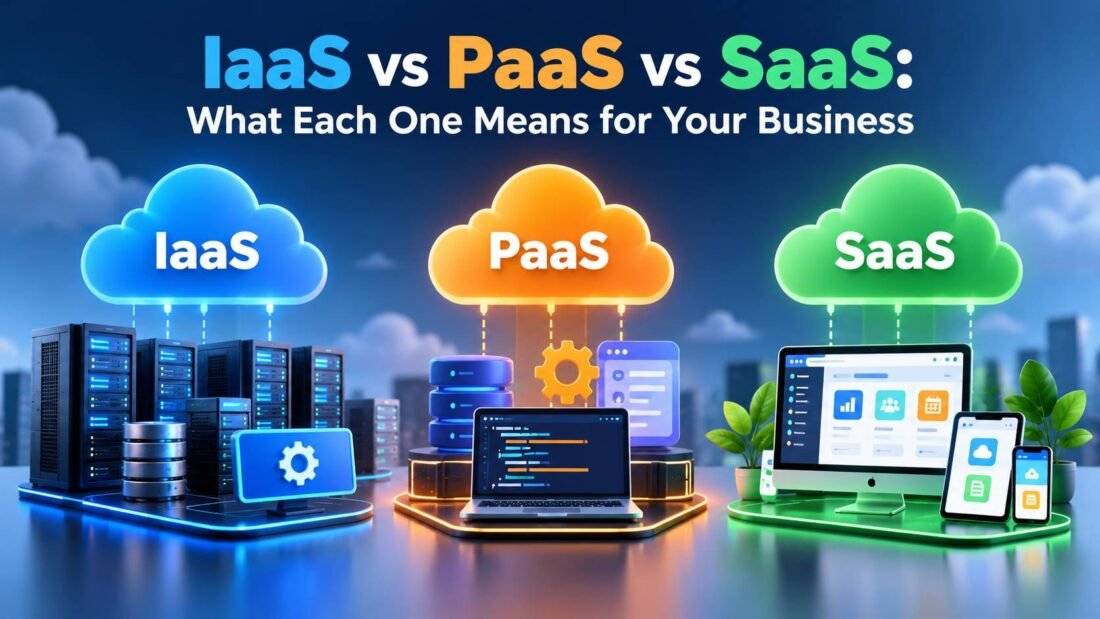
Vendors love these three acronyms, and they are often thrown around as if everyone already knows the difference. The idea behind them is simpler than the jargon. Each model describes how much of the technology a cloud provider runs for you, and how much you still run yourself.
If you are new to the cloud, our guide to what cloud computing is covers the basics first. This article assumes you know the general idea and want to tell the three models apart.
Think of it as renting a place to live
A housing comparison helps here, because most people already understand who fixes what in different rental setups.
- IaaS is renting an empty apartment. The landlord provides the building, plumbing and electricity. You bring the furniture, set it up and keep it in order.
- PaaS is a serviced apartment. Furniture and appliances are already there and someone else maintains them. You just move in with your belongings.
- SaaS is a hotel room. Everything is provided and cleaned for you. You turn up and use it.
The further you move from IaaS toward SaaS, the less work you do and the less you can change.
Who manages what
Every application depends on a stack of layers. Here is how the responsibility splits:
| Layer | IaaS | PaaS | SaaS |
| Physical servers, storage, networking | Provider | Provider | Provider |
| Virtualization | Provider | Provider | Provider |
| Operating system and updates | You | Provider | Provider |
| Runtime, databases, middleware | You | Provider | Provider |
| Application code | You | You | Provider |
| Your data and user access | You | You | You |
Notice the last row. Under every model, your data and who can log in remain your responsibility. That point gets missed often and is behind many cloud security problems.
Infrastructure as a Service (IaaS)
IaaS gives you virtual machines, storage and networking on demand. You choose the operating system, install the software and handle updates. Microsoft’s explanation of IaaS describes it as the most flexible category, and that flexibility is the reason to choose it.
Examples: Amazon EC2, Azure Virtual Machines, Google Compute Engine, DigitalOcean Droplets.
Good fit when:
- you need to run software that expects a full server, such as older business applications;
- you have a developer or IT person who can manage servers;
- you want full control over configuration and security settings.
Watch out for: patching is your job. An unpatched virtual server is as exposed as an unpatched physical one.
Platform as a Service (PaaS)
PaaS gives developers a place to run their code without managing servers. You upload the application, and the platform handles the operating system, scaling and much of the monitoring.
Examples: Heroku, Google App Engine, Azure App Service, AWS Elastic Beanstalk, Render.
Good fit when:
- you are building a custom web app or internal tool;
- your developers would rather write features than maintain servers;
- you expect traffic to vary and want scaling handled for you.
Watch out for: each platform has its own way of doing things. Moving an app from one PaaS to another can take real rework.
Software as a Service (SaaS)
SaaS is complete software you use through a browser or app. Nothing to install on a server and nothing to patch. You pay a subscription, usually per user per month.
Examples: Google Workspace, Microsoft 365, Slack, Zoom, HubSpot, Xero, Canva.
Good fit when:
- the job is a common one (email, accounting, chat, design) that many businesses share;
- you have no IT staff;
- you want to start this week rather than next quarter.
Watch out for: you can only customize what the vendor allows, and subscriptions add up as the team grows.
Side-by-side comparison
| IaaS | PaaS | SaaS | |
| Who uses it | IT admins, DevOps | Developers | Everyone |
| Control | High | Medium | Low |
| Setup time | Days to weeks | Hours to days | Minutes |
| Typical billing | Per hour or GB | Per app or resources used | Per user per month |
| Skills needed | Server administration | Programming | None special |
Most businesses use all three
This is rarely an either-or choice. A typical growing company might use SaaS for email, accounting and chat, PaaS to host a customer portal its developer built, and IaaS for one older application that needs a full Windows server.
A reasonable rule: use SaaS whenever a good product exists for the job. Only build on PaaS or IaaS when the job is specific to your business and no off-the-shelf tool does it well.
Other “as a service” terms you may see
- FaaS (Function as a Service): running small pieces of code on demand, often called serverless. AWS Lambda is the best-known example.
- DBaaS (Database as a Service): a managed database, such as Amazon RDS.
- DaaS (Desktop as a Service): a full Windows desktop streamed from the cloud.
These are narrower versions of the same idea and sit somewhere between IaaS and SaaS. The original three categories come from the NIST definition of cloud computing, which is still the standard reference.
Frequently Asked Questions
Is Gmail IaaS, PaaS or SaaS?
SaaS. You use finished software and Google manages everything behind it.
Is AWS IaaS or PaaS?
Both. AWS is a provider with hundreds of services. EC2 virtual servers are IaaS, Elastic Beanstalk is PaaS, and some AWS products, such as Amazon WorkMail, are SaaS.
Which model is cheapest?
It depends on your team. IaaS can have the lowest price per unit of computing power, but you pay in staff time to manage it. For a business without IT staff, SaaS usually costs the least overall.
Which model is most secure?
None is automatically safer. With SaaS the provider handles more of the security work, which helps small teams. With IaaS you control more settings, which helps only if someone is looking after them.
Can I switch models later?
Yes, but it takes planning. Moving from IaaS to PaaS usually means adjusting how your application is built. Moving between SaaS tools mostly means exporting and importing data.



[…] SaaS is one of the three main cloud service models. If you want to see how it compares with the other two, read our comparison of IaaS vs PaaS vs SaaS. […]