
A bookkeeper gets an email that appears to come from the owner: “I’m in a meeting, can you pay this supplier invoice today? New bank details attached.” The tone is right, the name is right, and the owner really is in meetings all afternoon. The money goes out. The supplier never sees it.
That is phishing. It is a message designed to trick someone into doing something they would not normally do, such as entering a password on a fake page, opening an infected file or sending money. It works because it targets people, not computers, and people are busy.
How phishing works
Nearly every phishing attempt has the same three parts:
- A disguise. The message pretends to be someone you trust: your bank, Microsoft, a delivery company, a supplier, or your own boss.
- A reason to act now. An account will be locked, a payment failed, a parcel is waiting, a deadline is today.
- An action. Click a link, log in, open an attachment, reply with details or make a payment.
The urgency is deliberate. It pushes you to act before the part of your brain that notices odd details catches up. The FTC’s guide to recognizing phishing lists the stories scammers use most often, and it is worth sharing with your team.
Common types of phishing
Mass phishing
The same generic email sent to thousands of people: “Your mailbox is full, log in to keep receiving messages.” It relies on volume.
Spear phishing
A message tailored to one person or company, using details found on LinkedIn or your website. It mentions real colleagues, real projects or real suppliers, which makes it far more convincing.
Business email compromise (BEC)
Fake payment requests like the bookkeeper example above. Sometimes the attacker has actually taken over a real email account and replies inside an existing conversation thread.
Smishing and vishing
Phishing by text message (SMS) or voice call. A text claiming to be from your bank, or a caller pretending to be IT support asking for a login code.
Credential phishing
A link to a fake login page that looks exactly like Microsoft 365, Google or your bank. Whatever you type goes straight to the attacker.
Ten warning signs of a phishing email
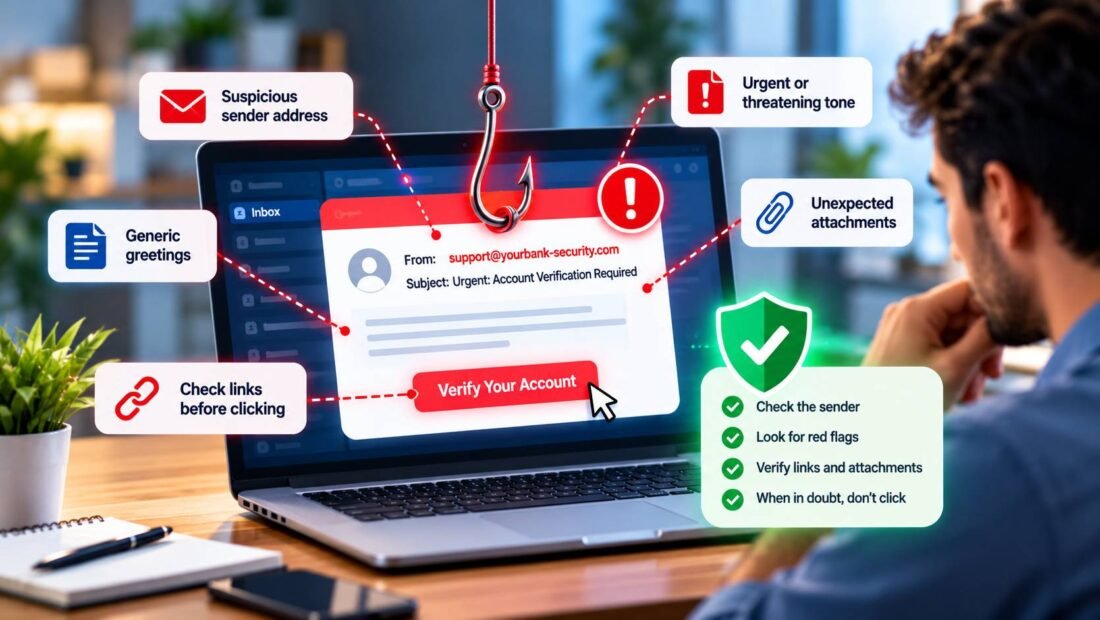
- The sender address does not match the name. “Microsoft Support” sending from a random Gmail address, or a domain with one letter changed, like rnicrosoft.com.
- Urgency or threats. “Within 24 hours”, “final notice”, “your account will be suspended”.
- A request to change payment details. Treat any change of bank details by email as suspicious until confirmed by phone.
- Links that do not go where they claim. Hover over a link on a computer, or press and hold on a phone, to see the real address before clicking.
- An unexpected attachment. Especially invoices, ZIP files or documents asking you to “enable content”.
- A request for a password or one-time code. Real IT teams and banks do not ask for these by email or phone.
- A generic greeting. “Dear customer” from a company that normally uses your name.
- Requests to keep it quiet. “Don’t mention this to anyone yet” is a classic gift-card or wire-fraud line.
- Gift cards. No legitimate supplier or manager asks to be paid in gift cards.
- Something just feels off. A colleague who never writes formally suddenly does, or replies arrive at 3 a.m.
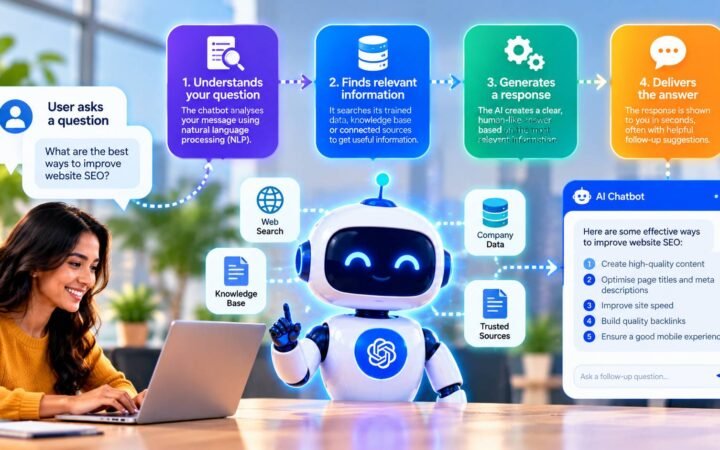
One warning about an old rule: bad spelling used to be the easiest giveaway. AI writing tools now let scammers produce clean, natural emails in any language, so a well-written message is no longer evidence it is genuine. Our explainer on how AI chatbots work shows why that text sounds so fluent.
What to do if you receive a phishing email
- Do not click links, open attachments or reply.
- If it claims to come from a company you deal with, go to that company’s website or app directly, not through the email.
- If it is a payment request from a colleague or supplier, call them on a number you already have.
- Report it. In Gmail and Outlook there is a “Report phishing” option. Also tell whoever handles IT in your business.
- Delete it once reported.
In the US, CISA’s phishing guidance explains where to report attacks and how to recognize them.
What to do if someone already clicked
Speed matters more than blame. People who are scared of getting in trouble tend to hide mistakes, which gives attackers more time. Make it easy to report quickly, then:
- Change the password for the account involved, and for any other account that used the same password.
- Sign out all sessions from the account settings, so the attacker is kicked out.
- Turn on two-factor authentication if it was not already on.
- Check email rules. Attackers often add a rule that forwards or hides messages. Look for anything you did not create.
- If money was sent, call your bank immediately. Transfers can sometimes be recalled if the bank acts within hours.
- If an attachment was opened, disconnect the computer from the network and have it checked.
How to protect a small business from phishing
- Two-factor authentication on every account. A stolen password alone is then not enough to log in.
- A payment verification rule. Any new or changed bank details must be confirmed by phone using a known number. Write it down and apply it to everyone, including the owner.
- Email filtering. Google Workspace and Microsoft 365 include phishing filters. Make sure they are switched on.
- Short, regular training. Five minutes a month looking at real examples does more than an annual hour-long session.
- A no-blame reporting culture. Thank people who report, including when they clicked.
Published by BlowupCloud.
Frequently Asked Questions
Can you get hacked just by opening a phishing email?
Rarely, with modern email software. The danger usually comes from clicking a link, opening an attachment or replying with information. Still, delete suspicious emails rather than exploring them.
Why is it called phishing?
It is a play on "fishing": attackers cast out bait and wait for someone to bite. The "ph" spelling comes from early hacker culture.
Can phishing happen on social media?
Yes. Fake customer support accounts, direct messages with "you won" links and fake brand pages are all common.
Do spam filters stop all phishing?
No. Filters catch a large share, but targeted messages from real, compromised accounts often get through. People are the last line of checking.
What is the single most effective defense?
For account takeover, two-factor authentication. For payment fraud, a firm rule that bank detail changes are always confirmed by a phone call.